Connect With Us

Follow Us On Twitter at: twitter.com/ThisIsTechTonic
Like Us On Facebook at: facebook.com/ThisIsTechTonic

Sunday, 3 November 2013

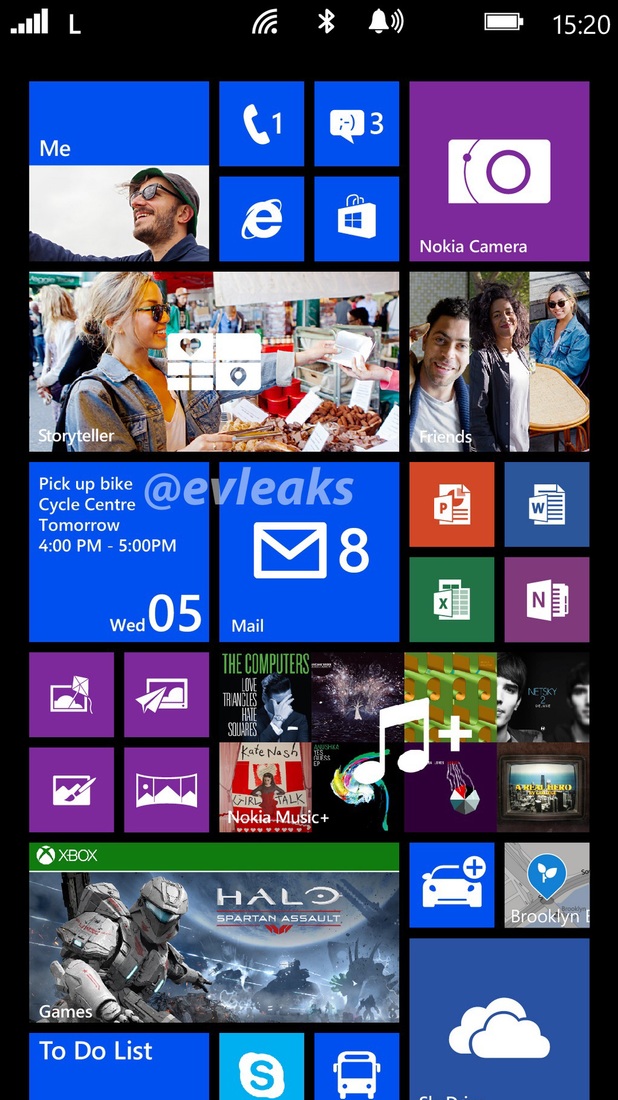
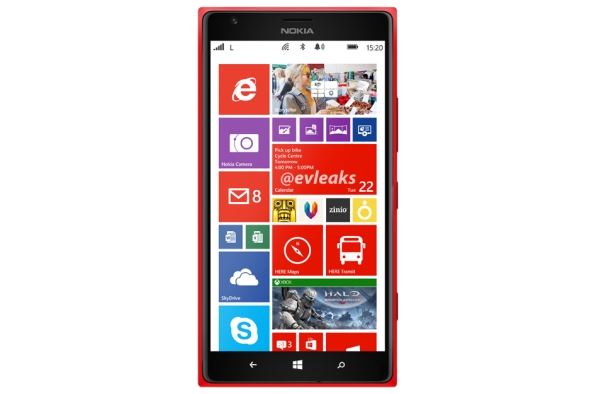
Nokia Lumia 1320-Nokia's Attempt To Please Budget Buyers

Nokia Lumia 1320-The Low End Phablet:

Nokia recently released three new devices to its Windows Phone 8 platform as an attempt to widen the market of its device and to serve a wider range of customers. The released devices included the Lumia 1520, 1320 and 2520.
We reviewed the Nokia Lumia 1520, which was a high end phablet with excellent on paper specs.

Now it is time to review the lower end phablet the Nokia Lumia 1320.
The 1320 is basically Nokia's attempt to not only enter the phablet industry but also to appeal the masses with a bigger screen smartphones in the footsteps of the highly successful Galaxy Note range.

Display:

The 1320 has the same screen size as the 1520, which is a 6.0 inch screen. However the main difference with respect to the screen is that the 1520 has a Full HD display whereas the 1320 doesn't.

The resolution of the screen is 720x1280 pixels, with an average pixel density of 254 ppi, which is good but not amazing like the screen on the 1520.
The screen is protected by Corning's Gorilla Glass 3.

Internal Specs:

The chipset featuring on the 1320 is Qualcomm's Snapdragon S4 with Dual-Core 1.7 GHz processor's, which is pretty dated if you ask me.
The graphics are handled by an Adreno 305, with 1 GB of RAM to handle processes, background tasks and multi-tasking.


These specs may not be top of the mark, however if Windows Phone has ever proved a point it is that you don't need killer specs to make the interface smooth and run fast. That is the reason why you don't notice even a bit of lag while navigating between screens or even while running apps.

Camera:

The primary camera has a 5 mega-pixel sensor. It shoots decent pictures which quite muted and bland colors, which is capable of shooting 1080p video.

The secondary camera on the front is a VGA camera.

Operating System:

The 1320 runs on Microsoft's latest Windows Phone 8 Black right out of the box. As we said earlier the OS and the interface run smoothly without any lags.
However Windows Phone 8 is not a popular OS among the masses largely due to the fact that mainstream apps like Pandora and Spotify are not available.

Of course, there is some respite for Windows Phone users since Microsoft announced that there is an Instagram and Vine app in the making.
The unpopularity is also due to the fact that Windows Phone doesn't offer customization like Android or even iOS for that matter.

Memory:

The 1320 has an internal memory of 8 GB with a choice to expand it upto 64 GB with the help of a microSD card.

Battery, Colors And Price:

The device has a 3400 mAh, Li-Ion battery.
The Lumia 1320 is available in yellow, white, red and black.
It is available for pre-order now for about $399.

Conclusion:

We think that is definitely an effort by Nokia to not only extend an arm into the phablet industry but also to reach into the developing markets by providing a decent device for people who are looking for a cheaper alternative of the superior Lumia 1520.
However the price is a bit high for such a device and consumers will most likely look the other way.

So that's our review on The Nokia Lumia 1320.
Be sure to +1 this post on Google Plus as it most definitely helps us.

Stay tuned for the review on the Nokia Lumia 2520.
You can check out more information about the Nokia Lumia 1320 at Nokia's Website which you can get to by clicking here.

Like Us On Facebook At: www.facebook.com/ThisIsTechTonic.
Follow Us On Twitter At: www.twitter.com/ThisIsTechTonic.

Sarthak J Shetty
Editor In Chief
Nokia Lumia 1520-Nokia's Retribution

Nokia 1520-Nokia's High End Phablet:

Nokia has been in hot waters recently. The company is seriously trying to make amends and renter the technology industry using several methods from introducing a 41 mega-pixel phone to making a full-fledged tablet which is the Lumia 2520.


It also plans to enter the successful phablet market by introducing two new devices this year, The Lumia 1520 and The Lumia 1320. So here is our review on the Nokia Lumia 1520.

Design:

At first glance this device looks like a pumped up Lumia 925 which debut earlier this year. But on looking closer it seems to resemble the design of not only the chassis of the Lumia 925 but also the design of earlier, Lumia 920.

The display on the front of the device looks remarkably similar to the display of the Lumia 920.
The 1520 offers a full aluminium body which feels quite significant in your hands.
The back features a camera aperture is quite prominent at the back, resembling the aperture of the 925.

Camera:

The camera on board the 1520 is one of the most significant features of the device.
The primary camera on the back features a 20 mega-pixel sensor.
Nokia has always been known for its amazing camera technology and the 1520 is no exception.

The camera takes excellent pictures in bright, dim and low light. It features Carl Zeiss Optics on board with an added benefit of Optical Image Stabilization, which offers that much more better pictures and video by elimination almost all of the shakiness from the stills.

It features a secondary camera on the front with a 1.2 mega-pixel sensor.
The primary camera can shoot 1080p video whereas the secondary camera can shoot 720p video.

Display:

A massive spec bump from previous gen Lumia smartphones is the display. Nokia has slapped on a Full HD 6.0 inch display with a resolution of 1920x1080 with an average pixel density of 367 ppi which looks pretty good on the screen of this size.

The IPS display is protected by Corning's Gorilla Glass 2 and Nokia has also inducted its ClearBlack display into this device.

Internal Specs:

Specs on this device look excellent on paper.
The Qualcomm MSM8974 Snapdragon 800 chipset features a Quad -Core 2.2 GHz Krait 400 CPU for handling all processing that it is subjected to.

The RAM onboard maxes out at 2 GB for handling process and multi-tasking
The graphics is handled by an Adreno 330, which is a top of the line GPU.

Operating System:

The 1520 features Microsoft's Windows Phone 8. The screen beautifully compliments the vivid colors of the operating system. The color can be adjusted as per the user's taste and a wide palette of colors is also provided to do the same.

But, as we know Windows Phone 8 doesn't provide the level of customization that is available in iOS let alone the ones that can be found in an Android Ecosystem. This is usually the complaint of tech nerds who live and breath customization on their phone.
However this OS is incredibly easy to use and navigate, and it is the choice of may people who lie outside of the tech community.

Connectivity:

The 1520 features 2G, 3G and 4G LTE bands.
Wi-Fi is also prominent on the device for using the net.
Bluetooth 4.0 is also present onboard.
It also features wireless charging and has support for the standard Qi wireless charging.

Battery, Colors And Price:

The battery is Lithium-Ion which has a capacity of 3400 mAh.
It is available in red, black, yellow and white.
The Nokia Lumia 1520 is available for 700 euros for pre-order as of right now.

 Conclusion:

The Nokia Lumia 1520 is a pretty good smartphone and specs pop out on paper.
We have to review the device to see how good those specs perform, that's all we can say for now.

So that's our review on The Nokia Lumia 1520.
Be sure to +1 this post on Google Plus as it most definitely helps us a lot.

Stay tuned for the review on the Lumia 1320 and 2520.

Like Us On Facebook At: www.facebook.com/ThisIsTechTonic.
Follow Us On Twitter At: www.twitter.com/ThisIsTechTonic.

Sarthak J Shetty
Editor In Chief

Whatapp-Flight Control

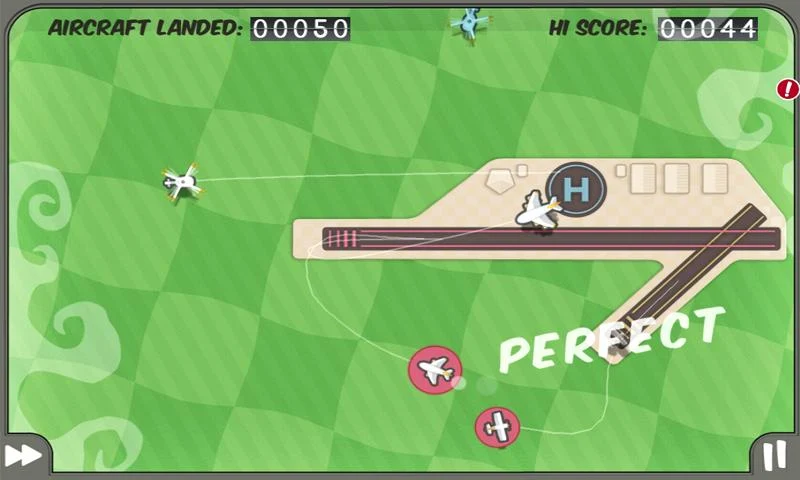
Every kid dreams of flying planes at some point in their life. That may or may not be possible for some of you out there. Hence, the app Flight Control.

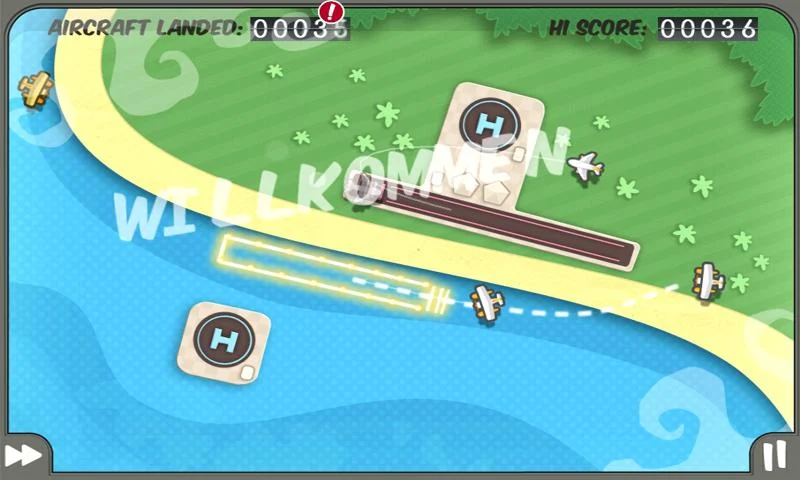
Flight Control is a flight simulator where you basically navigate different types of aerial vehicles to their respective landing zones, which can be either 2 types of runway or a helipad.
It features several different locations but the most popular ones are the aircraft carrier and the beach.
The level of difficulty increases with the number of successful landings.

Different air vehicles include jets, biplanes, helicopters, jumbo jet etc.
Overall, this is a very fun, simple game which provides an excellent means for relaxation and unwinding.

And don't worry if your plane collides or crashes, you have the ability to replay the game prior to the collision provided you have enough Rewinds.

The app is available for both Android and iOS.

You can download the app for Android by clicking here.
You can download the app for iOS by clicking here.

So that's our review on the app Flight Control, hope you have fun piloting planes.
Be sure to +1 this post on Google Plus as it most definitely helps us.

Like Us On Facebook At: www.facebook.com/ThisIsTechTonic.
Follow Us On Twitter At: www.twitter.com/ThisIsTechTonic.

Sarthak J Shetty
Editor In Chief

Saturday, 2 November 2013

Oppo N1-Innovation Redefined

Oppo-At The Forefront Of Innovation Yet Again:

You may remember our review on the Oppo Find 5 earlier this year. It was an excellent product with well defined specs, amazing built quality and all that goodness.
Oppo has taken quite a lot from their experience with the Find 5 and decided to try something with the same motive; so Oppo went ahead and began churning the rumor mill with pictures and features of there new phone the N1 which was very well received among the audience, and when it was released it awed the world. So here is our review on the Oppo N1.

Display:

The Find 5 was the first phone in the market with a full HD display and yes it was just as good as it sounded.

So, Oppo took a hint from the well received screen and slapped on a 5.9 inch (beautiful) Full HD display on the N1 which looks even better than the display on the N1 especially considering the fact that itures a bigger screen. It features 1080x1920 pixels with an average pixel density of 373 ppi which makes the colors just pop on the screen.

Camera:

The camera is the highlight on the N1 for sure. It is a modular camera, which is capable of 206 degree rotation. The camera can be used both as a front facing one and a back facing camera too.
The camera features a 13 mega-pixel sensor. And since the camera piece can rotate, technically even the secondary front-facing camera has a 13 mega-pixel sensor and also features a dual LED system.
The shots that the camera takes are really good and colors appear lively.

Built:

One of the best and the most distinguishable feature of the N1 lies on the back. If you observe the phone carefully on the back you can see that there is a soft touch square region which acts as a touchpad.
Since the N1 is a really big device, one handed usage can be hard, hence Oppo has provided this touch pad for comfortable one handed navigation using your index finger.

It takes a few days to get used to, but after that you begin to feel why other phone manufacturers never adopted this technology.
The N1 weighs in at about 213 g or 7.51 ounces. which is a bit heavy, but come on this is a 5.9 inch phone or phablet; depending on how big your hands are.

Internal Specs:

The chipset running the N1 is the Qualcomm Snapdragon 600, which features a Quad-Core 1.7 GHz Krait 300 CPU.

The graphics is handled by an Adreno 320 chip. The RAM amounts to 2 GB, which is capable of handling all the multi-tasking.

Additional Features:

Oppo has infused certain extra features into the N1 which provide more functionality to this device. An example for this is the O-Click feature.
In this function you can operate your N1; mostly your camera, wirelessly with a help of a bundled Bluetooth Remote. It helps you to capture group pictures in case you want to feature in the picture.

Operating System:

The N1 runs on Oppo's custom skin, the Color OS which is based on Android 4.2 "JellyBean".

This skin better by leaps and bounds than the skin which was featured in the Find 5 by miles. It looks less chunky and heavy, even though it is in the ballpark of well, heavy and chunky.

Partnership With CyanogenMOD:

Yes, Oppo has partnered with CyanogenMOD, to maybe develop the software on board this phone even though we are not yet clear on this.

Oppo has from the beginning, has supported rooting and installation of custom ROMs. This is made evident from the fact that Oppo doesn't void your warranty in the case that you root your phone.

Memory:

The Oppo N1 is available in 2 variants based on memory that is, 16 and 32 GB which no option for expandable storage.

Price, Battery And Colors:

We are unclear on the price of the N1.
The battery onboard is a decent 3610 mAh.
It is available on in white as of now.

Conclusion:

We think that the Oppo N1 has paved the way for smartphone innovation, but this innovation remains larger constricted to markets such as Asia were Oppo doesn't receive enough credibility for its work. It should work to promote its marketing in Western countries so that this type of open mindedness to rooting and innovation is picked up by other manufacturers.

You can check out more information about the Oppo N1 at the N1's official page here.

So that's our review on the Oppo N1.
Be sure to +1 this post on Google Plus as it definitely helps us a lot.

Like Us On Facebook At: www.facebook.com/ThisIsTechTonic.
Follow Us On Twitter At: www.twitter.com/ThisIsTechTonic.

Sarthak J Shetty
Editor In Chief

Friday, 1 November 2013

WhatApp-BlackBerry Messenger

BBM-Starting Point In BlackBerry's Path To Glory?

Blackberry has been in hot waters recently. The once leader in the smartphone industry, has had a spiraling journey downward, ever since the release of the iPhone. Since then, BlackBerry has made several attempts to enter back into the game which has been evident with the launch of the BlackBerry Z10, Q10 and the phablet Z30 (review coming soon).

 However, BlackBerry has realized that (a little late) that the software in a device is given much more value than the internals which run the device. As a result BlackBerry has recently released one of its priced apps, the BlackBerry Messenger in both iTunes Store and Google's Play Store. And the app has also reportedly been downloaded 10 million times in both stores in 24 hours.

The app is pretty neatly designed. The blue, black and blue color scheme reminds us of BlackBerry's OS 10.
It carries more than just colors from BlackBerry OS since it includes much of its swipe based functions.
For example, if you to the right you can access your contacts, chats, updates etc.
You can swipe from within the chat to return to your previous screen.
Adding people using unique QR codes is not only intuitive way to add people on BBM but is also hassle-free.
As always the Emoji collection on BBM has always been vast and remains unchanged even in iOS and Android.
Some users have complained about waiting for long duration's for their BBM pin.

All in all we think that this is an excellent path chosen by BlackBerry to get back in the game and it also seems that it is working for them.

You can download BBM for your iOS device by clicking here.
You can download BBM for your Android device by clicking here.

So that's our review on the BlackBerry Messenger.
Be sure to +1 this page on Google Plus as it definitely helps us a lot.

Like Us On Facebook At: www.facebook.com/ThisIsTechTonic.
Follow Us On Twitter At: www.twitter.com/ThisIsTechTonic.

Sarthak J Shetty
Editor In Chief

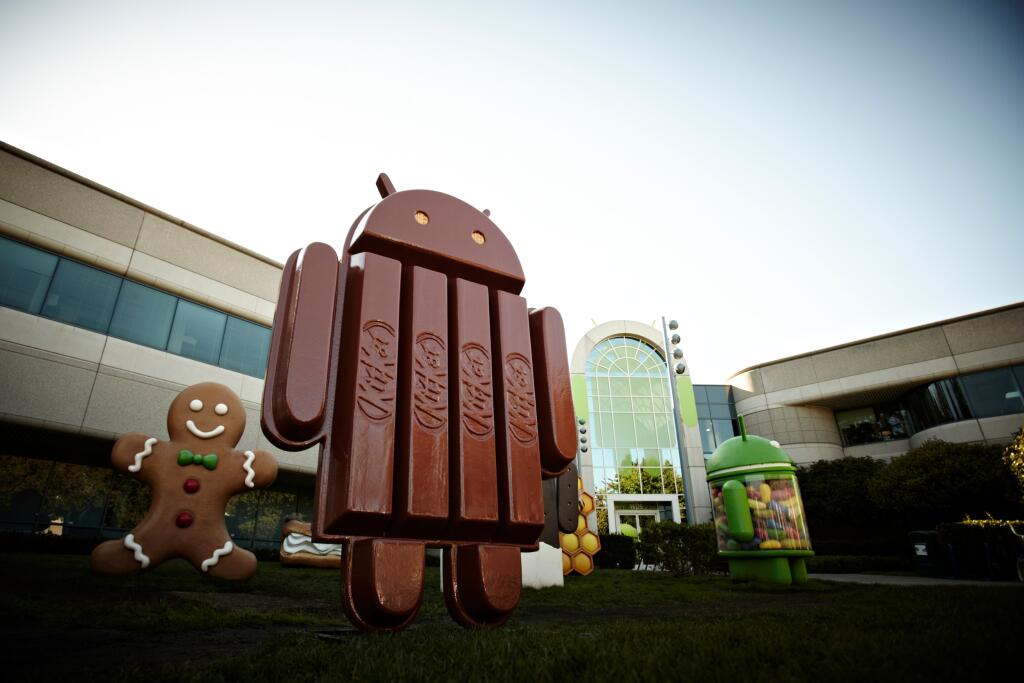
Android KitKat 4.4-Next Billion Users For Android?

Android 4.4 "KitKat"-Revamping Android For The Better:

At midnight, Google released the much anticipated LG Nexus 5. Which is all good. It was released with a ton of new features, and among the new features one of them was, of course the equally anticipated and rumored Android 4.4 KitKat.
We were given a sneakpeak of Android 4.4 KitKat when Google put up a promotional video for it on video ,which incidentally also gave the world the first glimpse of the Nexus 5.

The Changes:

The main changes that you can notice the moment you unlock your phone are the changes done to the status bar and the system buttons on the bottom of the screen. You can easily notice that the status bar is transparent now instead of it being completely opaque. The system buttons also lie on a transparent background. It really gives the entire interface a clean finish.

Another phenomenal change is that the Touchless Control which we saw the first time we saw on the Moto X has been integrated into Android 4.4. But, it is currently available only in the Nexus 5. This function can be toggled by saying "Ok Google".
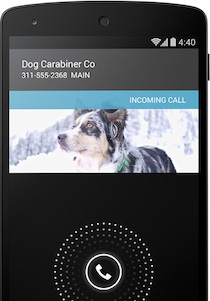
The dialer has also undergone a massive change. The change is that, if you receive a call from an unknown number, Google will basically act as a phonebook and automatically look-up the number on Google Maps and it will provide you the name associated with that number and will also provide you an image of that business. the new dialer app also organizes your contacts on the basis of who you have contacted the most.

The Tweaks:

The major tweak that Android 4.4 undergone is that, now Hangouts has been integrated with your SMS app which provides a more centralized system for all your messages.
Emoji have become very popular among the younger generation, so obviously Google has provided the option to insert Emoji into your texts just about anywhere.
You can also print documents on your phone via an HP ePrint Printer without any wires, provided the printer that your using is connected to Google Cloud Print.
Another tweak can easily be noticed if you are playing music. The artwork of the song which you are playing will appear in the background of your lockscreen.
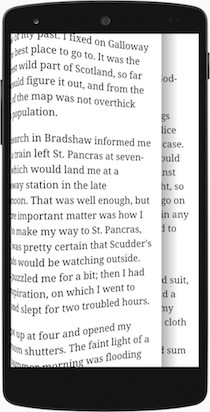
From now on, if you are reading a book/magazine or playing a game Android will portray that on the entire screen without any system buttons or your status bar; and you can get back your status bar and your system buttons by taping on the screen.
This used to be quite a hindrance since in the older versions of Android you had to shut down the app you were using to check your notifications.

The System Changes:

The root system has also undergone a couple of changes.
Google has stated on the official KitKat page that they have provided new Ultra-Fast Wi-Fi connectivity which provides better Data Transfer.

Android 4.4 KitKat will also provide lower end smartphones a feature which resembles NFC but is not exactly NFC. This will open several new options pertaining to NFC to plenty of lower end smartphones.
Other changes in connectivity include support for Bluetooth MAP.
Support for the recently launched ChromeCast is also a new addition.

Compatibility:

Google has stated that Android 4.4 KitKat will support all phones running Android provided that they have a minimum RAM of 512 MB.
However Google has stated that the Nexus S and the Samsung Galaxy Nexus will not receive the 4.4 update which kind of removes the "Nexus" part from the devices.

The Verdict:

Android 4.4 KitKat will definitely provide Android with those next 1 billion users that it is aiming for, provided that manufacturers get the compatibility clause right and manage to successfully provide lower end smartphones the same experience that one would get on higher end devices.
 Google should also make sure that the 4.4 update will be put out in time.
All in all we think that this is a really neat, clean and refreshing new look given to Android and it will be a good thing for Google if it manages to play the cards right.

So that's our review on the newly revealed Android 4.4 KitKat.
Be sure to +1 this post on Google Plus as it definitely helps us out.

You can head over to the official page for Android 4.4 KitKat by clicking here.

Like Us On Facebook At: www.facebook.com/ThisIsTechTonic.
Follow Us On Twitter At: www.twitter.com/ThisIsTechTonic.
(Video From MKBHD)

Sarthak J Shetty
Editor In Chief


Nexus 5-It's Finally Here

LG Nexus 5-The Most Anticipated Phone Of 2013:

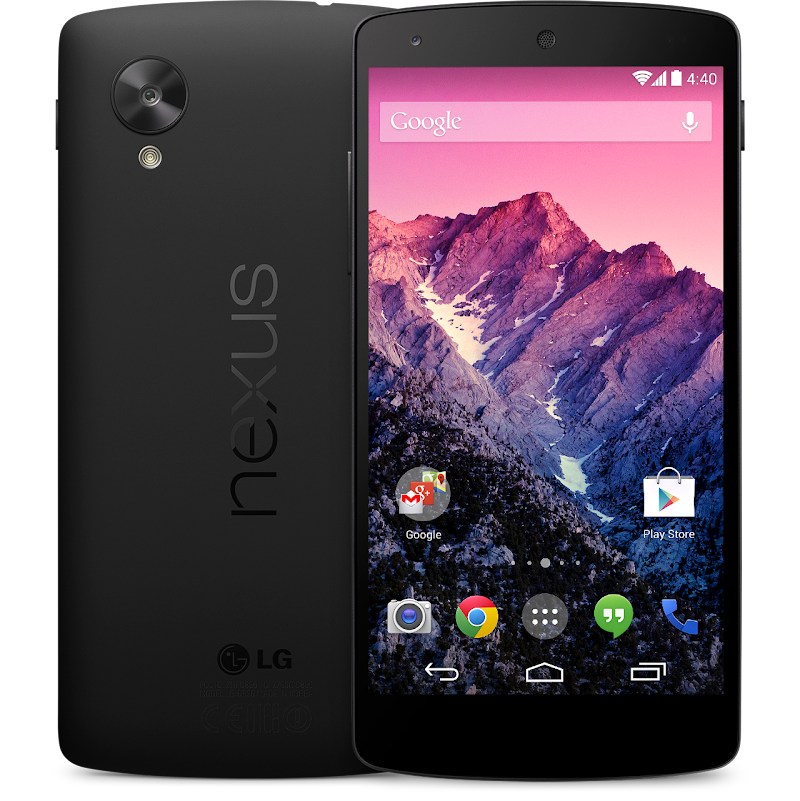
Yes, waiting till midnight in anticipation for the new LG Nexus 5 has finally paid off. My mouth literally began to froth when that mail stating that the new Nexus had been launched appeared on my Notification shade. Google announced the device and is already flying off shelves. So lets take a look at the device.

Display:

Oh My God! The Nexus 5 has an amazing display which is right up with the display's of other high end devices. It features a 4.95 inch screen with a 1920x1080 resolution with a pixel density of 445 ppi (Wow, just Wow). The screen is Full HD. It looks amazing on video. The screen is protected by Corning's Gorilla Glass 3. The screen is one of the biggest upgrades from last year's Nexus phone, and it will be one of this year's biggest selling points.

Internal Specs:

Every year, people don't expect a "Nexus" device to have high-end specs especially considering their price point at around $299-$349 but this year all of that has changed, not only with the Nexus 7 but with the Nexus 5. The chipset on-board is Qualcomm's latest Snapdragon 800, which features a 2.3 GHz Quad-Core Krait CPU. The chip responsible for rendering graphics is an Adreno 330. The RAM on-board amounts to 2 GB. With these specs this phone is a flagship and it is undoubtedly one of THE best phones of 2013-2014 (alongside most leaked and most anticipated).

Operating System:

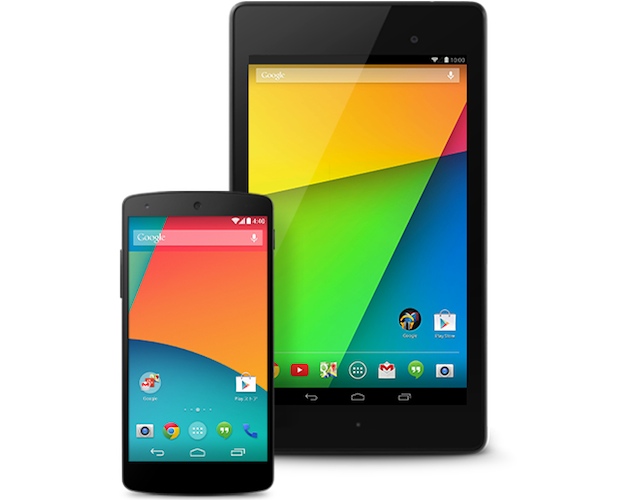
Android KitKat 4.4 (stay tuned for the review) goes official with the Nexus 5 being the first device to feature it. It includes hundreds of new updates, including Touch-less control, Ultra fast Wi-Fi and also a neat feature which acts as a Pseudo-NFC function which lets devices lacking NFC mimic NFC even though its not exactly NFC.
It also includes several incremental upgrades regarding the appearance of the homescreens mainly the status bar has been made cleaner since it is transparent and also the system button's background has been made fully transparent and also the blog post on KitKat has also stated that there is change in the font.

Battery:

The battery onboard is Non-Removable with a capacity of 2300 mAh. The battery is a Li-Po. It offers 17 hours of talk time and 300 hours of standby.

Camera:

The primary camera on the back features an 8 mega-pixel sensor with Optical Image Stabilization which is an interesting add-on considering that this device has a really low price point considering its specifications. The secondary camera on front has a 1.3 MP sensor to capture selfies all day.
It can also shoot 1080p video.

Connectivity:

The biggest leap from last years Nexus 4 in terms of connectivity is the fact that this year's Nexus features a 4G LTE band. The Wi-Fi also has a special feature and Google has stated that it will provide Ultra-Fast connectivity. It is also enabled with wireless charging capabilities without the need of an external case or receiver. It also has Bluetooth 4.0 LE.
It also features the SlimPort technology which acts as a receiver for a mini HDMI cable.

Accessories:

Yes, it is Google's "resolution" this year that it will sell certified accessories made by Google itself to ensure that it is a perfect fit for your device. There are 2 types of cases available for the Nexus 5. One is a bumper type case and the other, is a flip case which covers the Nexus 5 entirely. The bumper case is available in white, yellow, red and black.

Price And Color:

The Nexus 5 is retailing for about $349 for the 16 GB model off contract and goes all the way upto $399 for the 32 GB model. As of enough the 16 GB model is already sold out, whereas the 32 GB model is shipping from the warehouse after 3 or more weeks.
The Nexus 5 is available in 2 colors that is black and white and is available as of right know from the Google Play Store and you can purchase it from here.

You can check out more information about Nexus 5 here.
You can check out more information of Android KitKat here.

So that's our review on the LG Nexus 5, stay tuned for the hands-on video of the Nexus 5 and also for the review on Android 4.4 KitKat.
Be sure to +1 this post on Google Plus as it most definitely helps us out.

Like Us On Facebook At: www.facebook.com/ThisIsTechTonic.
Follow Us On Twitter At: www.twitter.com/ThisIsTechTonic.
(Video 1 From The Verge)

Sathak J Shetty
Editor In Chief